ArmyIgnitED - Service Member
- Click on ‘Tuition Assistance Requests’:

- Locate the course for which you have requested TA:
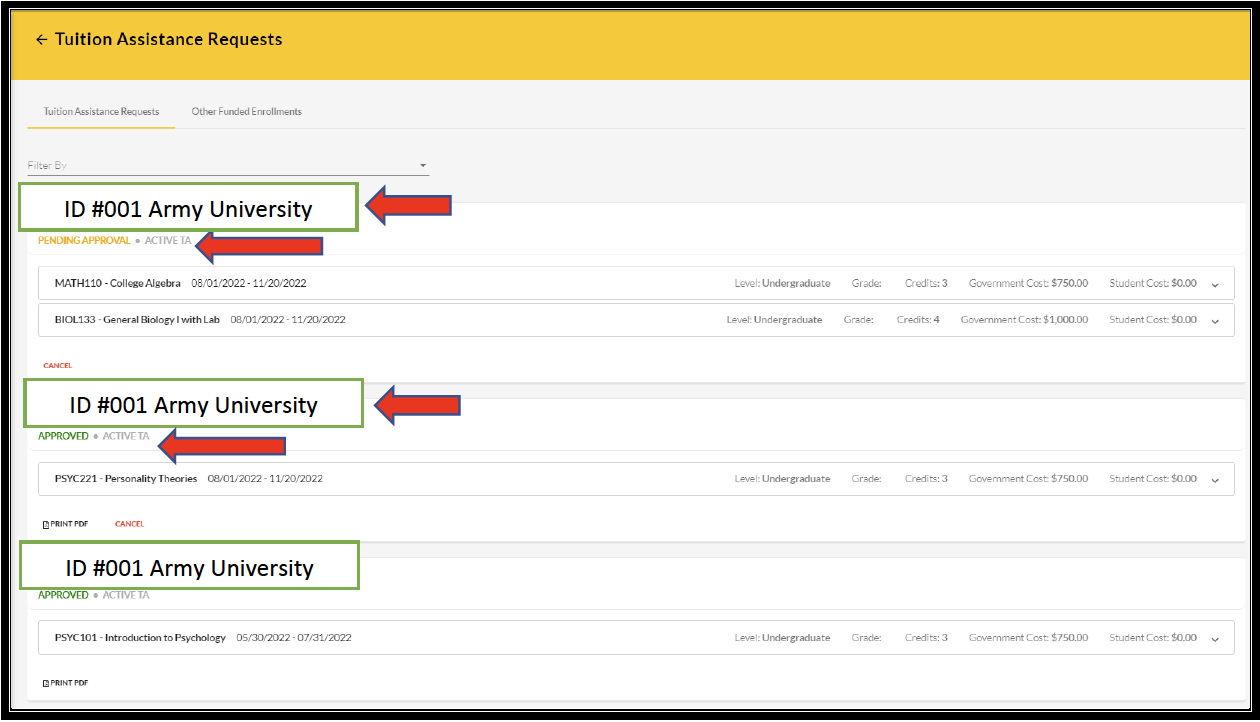
If TA has been approved, then ‘APPROVED’ will be listed under the course.
If TA is still in a pending status, then ‘PENDING APPROVAL’ will be listed under the course.
- SM has the option to ‘cancel’ TA Request as well as view/print PDF of TA Request Form:
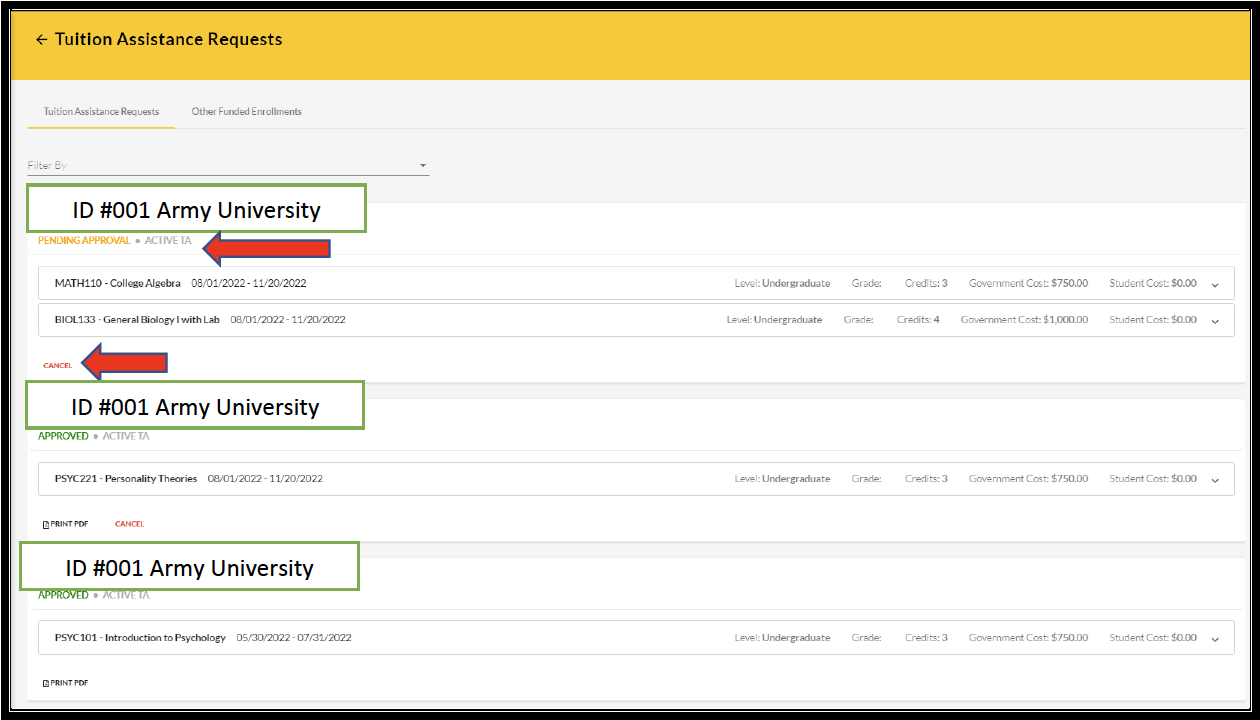
- IF ‘CANCEL’ is selected:
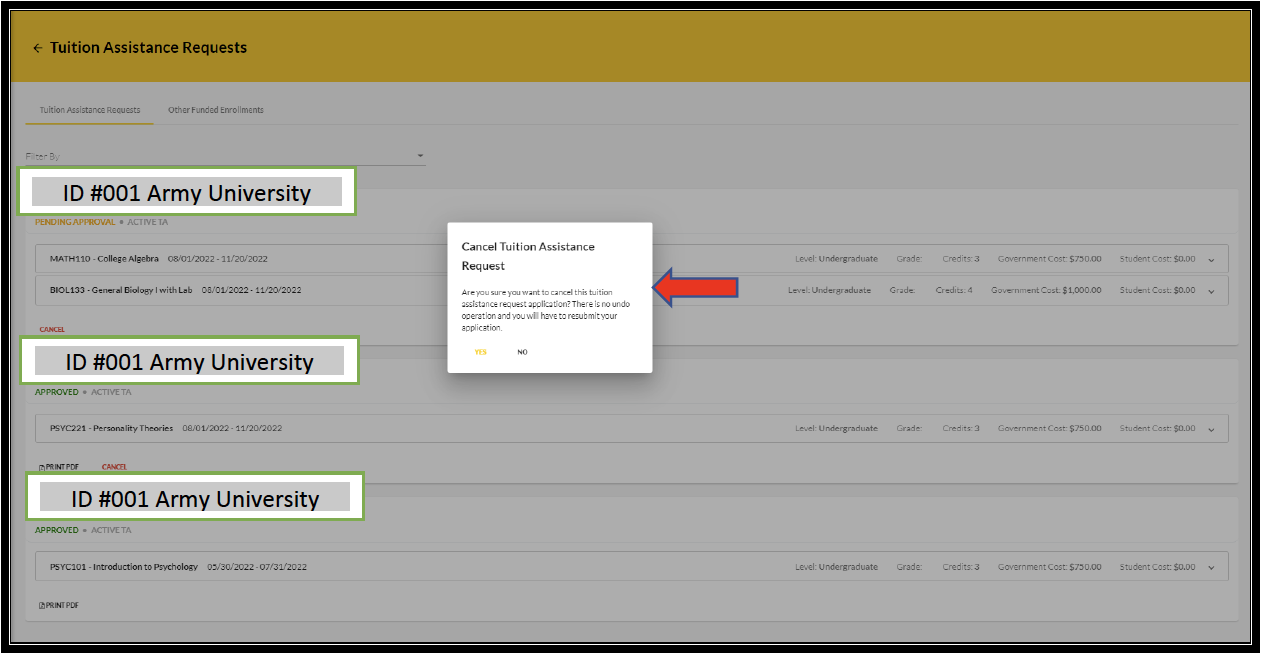
NOTE: Once ‘yes’ is selected, the operation CANNOT be undone. A resubmission would need to be completed.
- IF ‘PRINT PDF’ is selected:
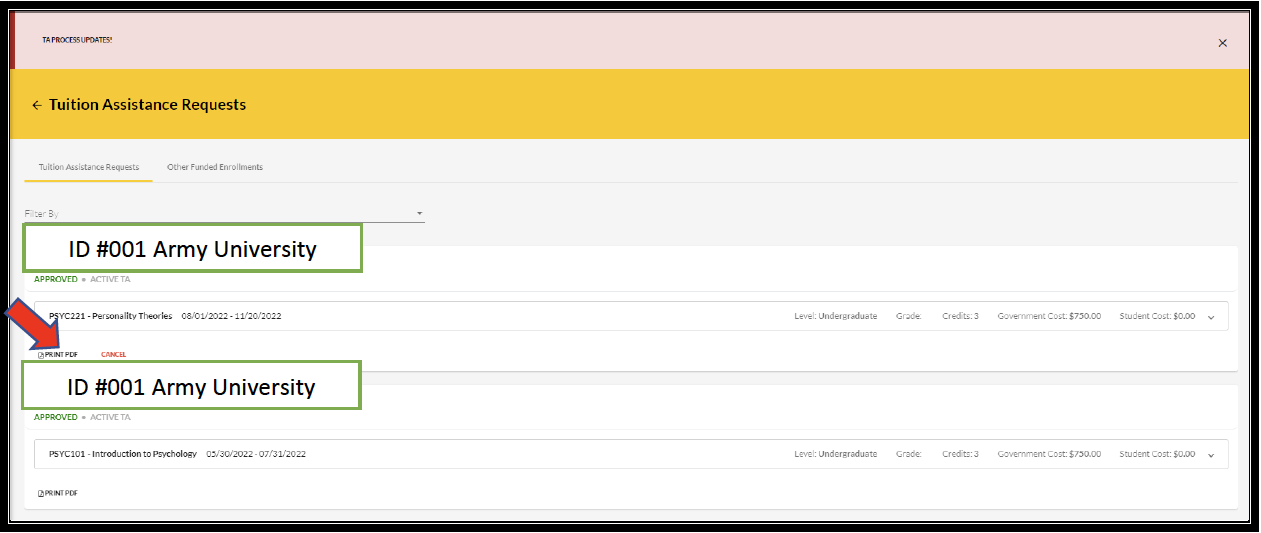
- Click ‘OPEN FILE’:

- This allows the SM to view their digitally signed TA Request Form:

**Important Notes**:
1. Once the Tuition Assistance (TA) request is approved, you must register for the course at your Academic Institution (AI). AIs will enroll a Soldier for a TA-funded course only after the TA is approved by the Army.
2. Provide a copy of your approved TA Request form to your AI.
3. Soldiers will be solely responsible for all tuition costs without this prior approval.
4. A Soldier may pre-register for a course to secure a slot.
5. TA is approved on a course-by-course basis and only for the specific course(s) and class dates that a Soldier requests.
6. If the Army has not approved the funding, then the Soldier will be solely responsible for all tuition costs.